“Your connection is not private” is the last thing you want visitors to see. The new SSL Checker tells you in about a second whether a website’s certificate is in order, and if it is not, what exactly is wrong.
What it checks
- Expiry: the date and the days left, with a warning in the last 30 days.
- The name: whether the certificate really covers the address you typed, wildcards included.
- Trust: whether browsers can link it to an authority they trust. A missing intermediate certificate, the most common installation mistake, is flagged here.
- The connection: the TLS version and cipher, and a warning for outdated TLS, weak keys or SHA-1 signatures.
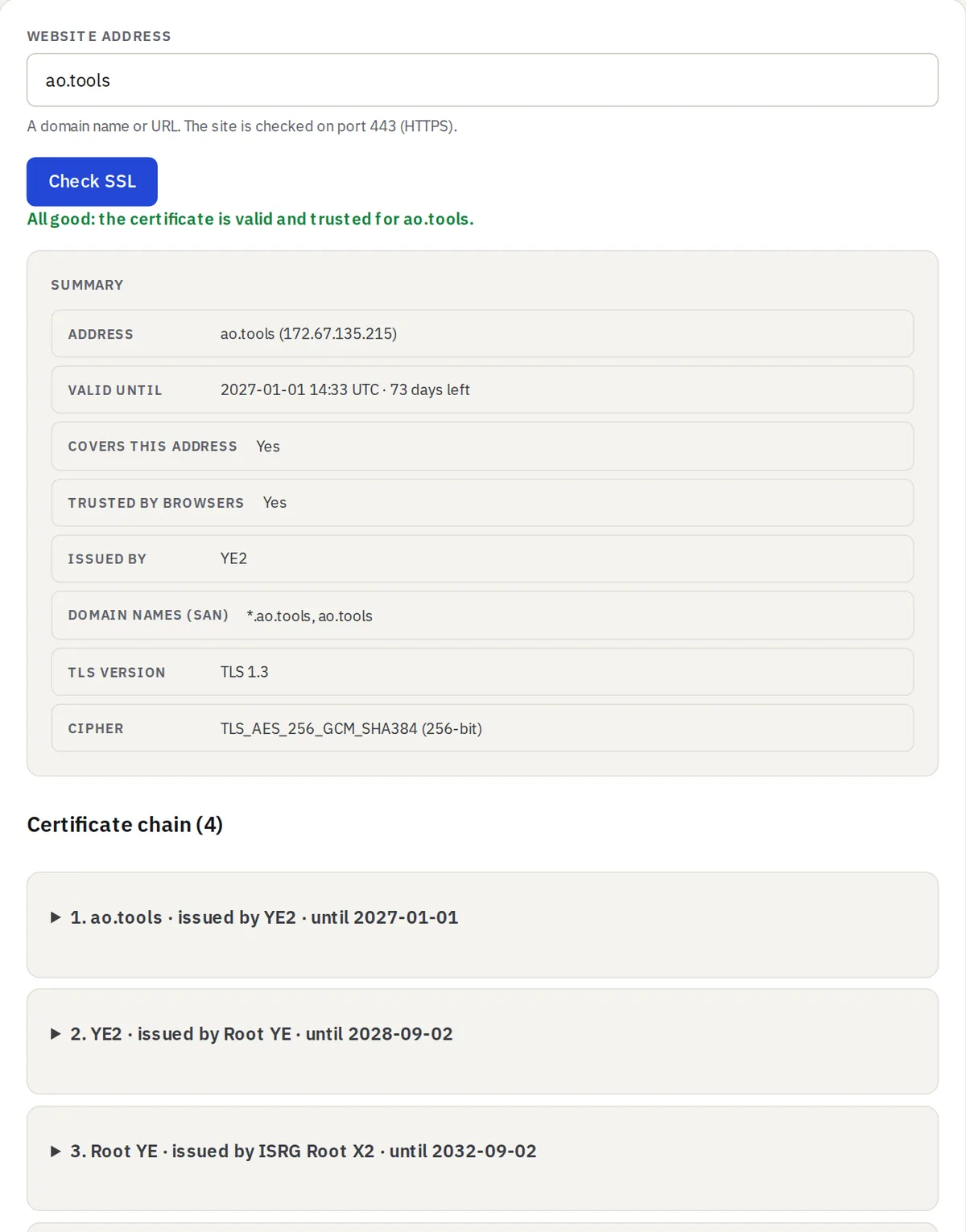
The whole chain, one line each
Below the summary, every certificate the server sends is listed on one line: who it is for, who issued it and until when. Open a line to see all its details, the same view as the Certificate & CSR Decoder, or copy the whole chain as PEM.
How it works
A browser page cannot open a raw TLS connection, so this is the one certificate tool that runs on our server: it connects to the site on port 443, the way a browser does, and reads the certificate. Only public websites can be checked, and the addresses you check are not stored. Guests can run 10 checks an hour and signed-in members 60.