On this page
Two pages you can make todayEdit without reprintingWi-Fi, text and moreWhat Premium addsA QR code on a business card, a shop window or a table card usually has one job: send people somewhere. Until now that somewhere had to be a page you already owned. Now the QR Code Generator can host the page too.
Two pages you can make today
- Link page. Your title, a short bio, a photo and up to 8 buttons: your website, your menu, your booking page, WhatsApp. People scan once and see everything in one place.
- Contact card. Your name, company, phone, email, website and address with a Save contact button that adds you to the phone’s address book. Call and WhatsApp buttons are one tap away.
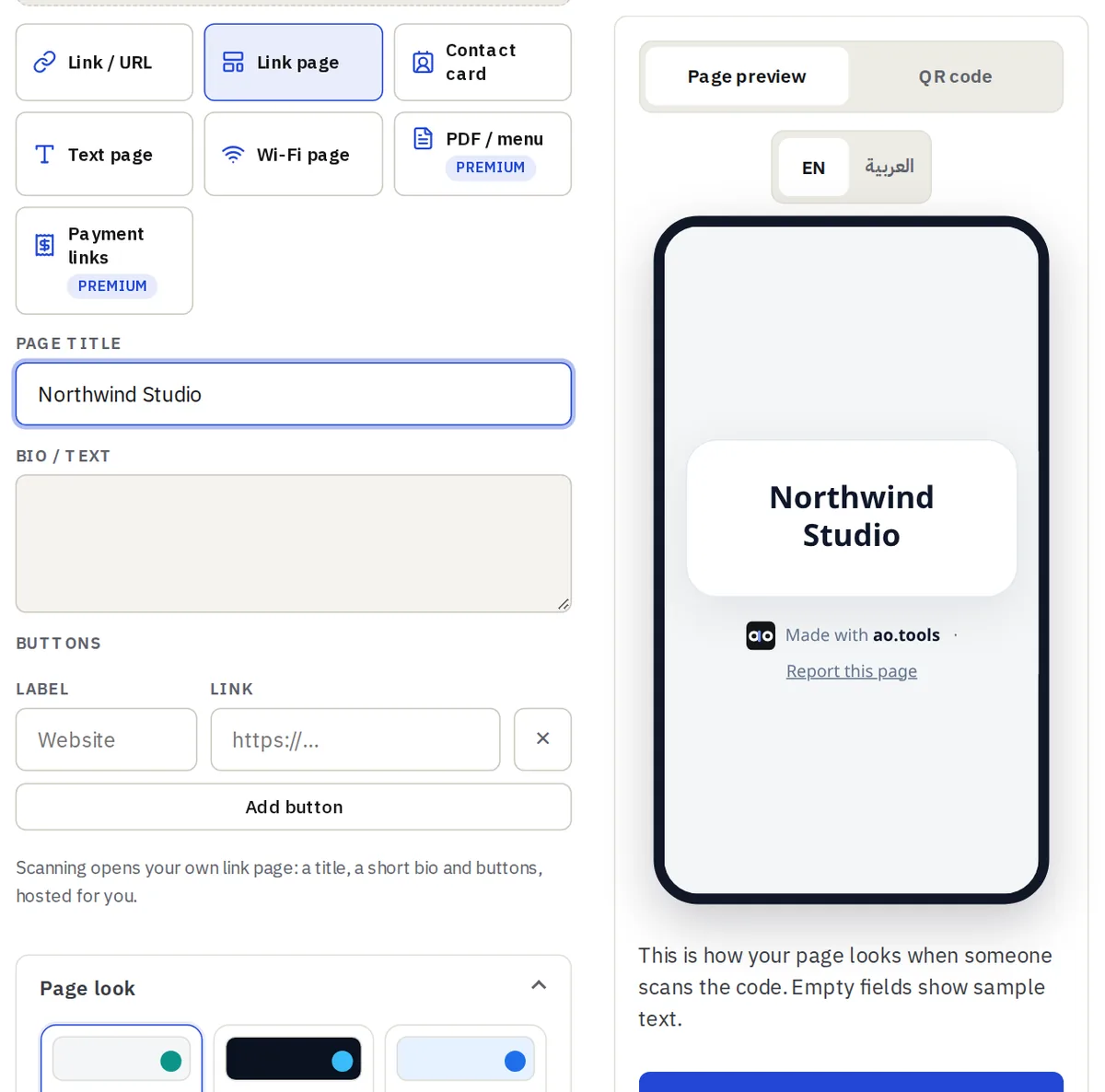
Both live on a short address on qr.ao.tools, work on any phone, follow the visitor’s light or dark setting and switch to right-to-left automatically for Arabic text. Choose one of six looks, or with Premium pick your own colors and font.
Edit without reprinting
The printed code points to a short link, not to the page itself. Change a button, fix a phone number or swap the photo and every code you already printed shows the new version. You can also pause a page, and you see how many people scanned it each day.
Wi-Fi, text and more
The same dynamic codes can open a Wi-Fi page that shows the network name and password with copy buttons, or a simple text page. Free accounts can keep 5 dynamic codes in total, of any type.
What Premium adds
Premium is not on sale yet, so everything above is free today. When it launches it will add your own colors, fonts and background, a custom address such as qr.ao.tools/yourname, smart redirects by phone and language, schedules, a visit limit, password protection, PDF menu and payment-link pages, and statistics for up to 365 days with country, referrers and clicks on each link.