On this page
An account page in tabsA quick-access menu in the headerThe site opens in your languageLittle thingsThree small changes make everyday use quicker.
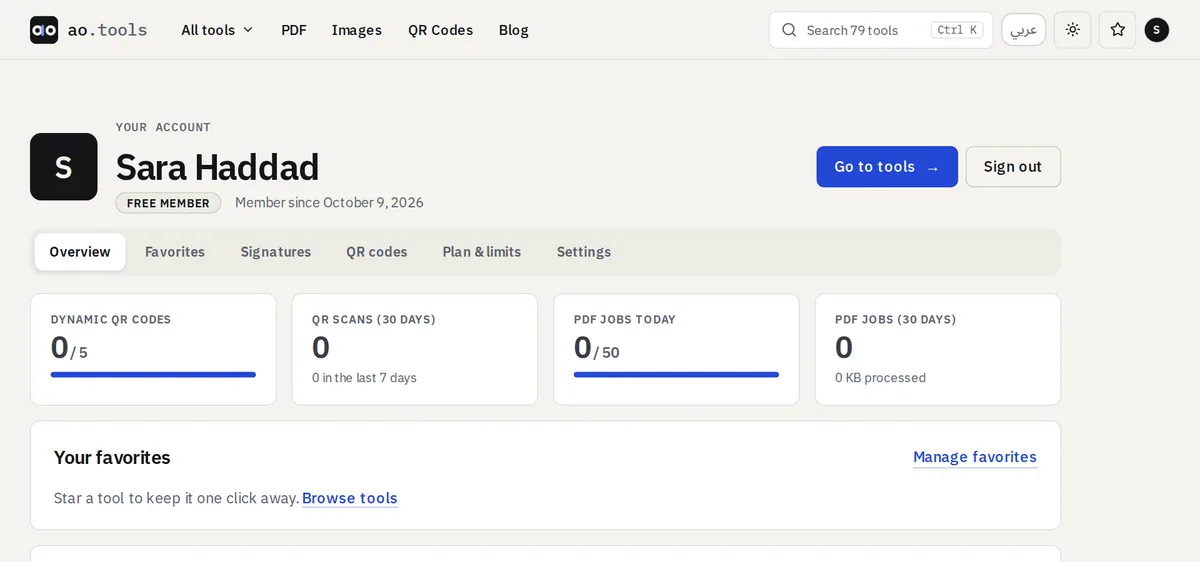
An account page in tabs
The account page used to be one very long page. It now has six tabs: Overview (your usage and favorites), Favorites, Signatures, QR codes, Plan & limits and Settings (profile, password, connected accounts, your data). Links to a section, such as Favorites, open the right tab straight away.
A quick-access menu in the header
When you are signed in, point at your avatar in the header, or click or tap it, and a menu lists the same sections plus Sign out. With a keyboard, press Enter or the down arrow on the avatar and move with the arrow keys; Escape closes it.
The site opens in your language
On your first visit ao.tools looks at the language of your browser or system: if it is Arabic you land on the Arabic site, otherwise on the English one. If you choose a language with the language button, that choice is remembered on your device and we never move you again. Nothing about this is sent to us.
Little things
- The Fancy Text Generator now shows its styles with the site’s own headline until you type your text.
- If you signed up with Google you can set a password and delete your account without one (see Sign in with Google).