On this page
Everything for contact cards is now freeSee your page while you build itSix designs to choose fromOne card, two languagesHow to make oneA contact card QR code opens a small page with your details and a big Save contact button, so people can add you to their phone in one tap. We made three changes to these pages.
Everything for contact cards is now free
With a free account, your contact card can now have all of these:
- your photo,
- social links,
- your name, job title and company in Arabic as well as English,
- your own colours and font.
Three things stay with Premium: a background image, removing the small “Made with ao.tools” footer, and a custom short address such as qr.ao.tools/yourname. The plans page lists every difference.
See your page while you build it
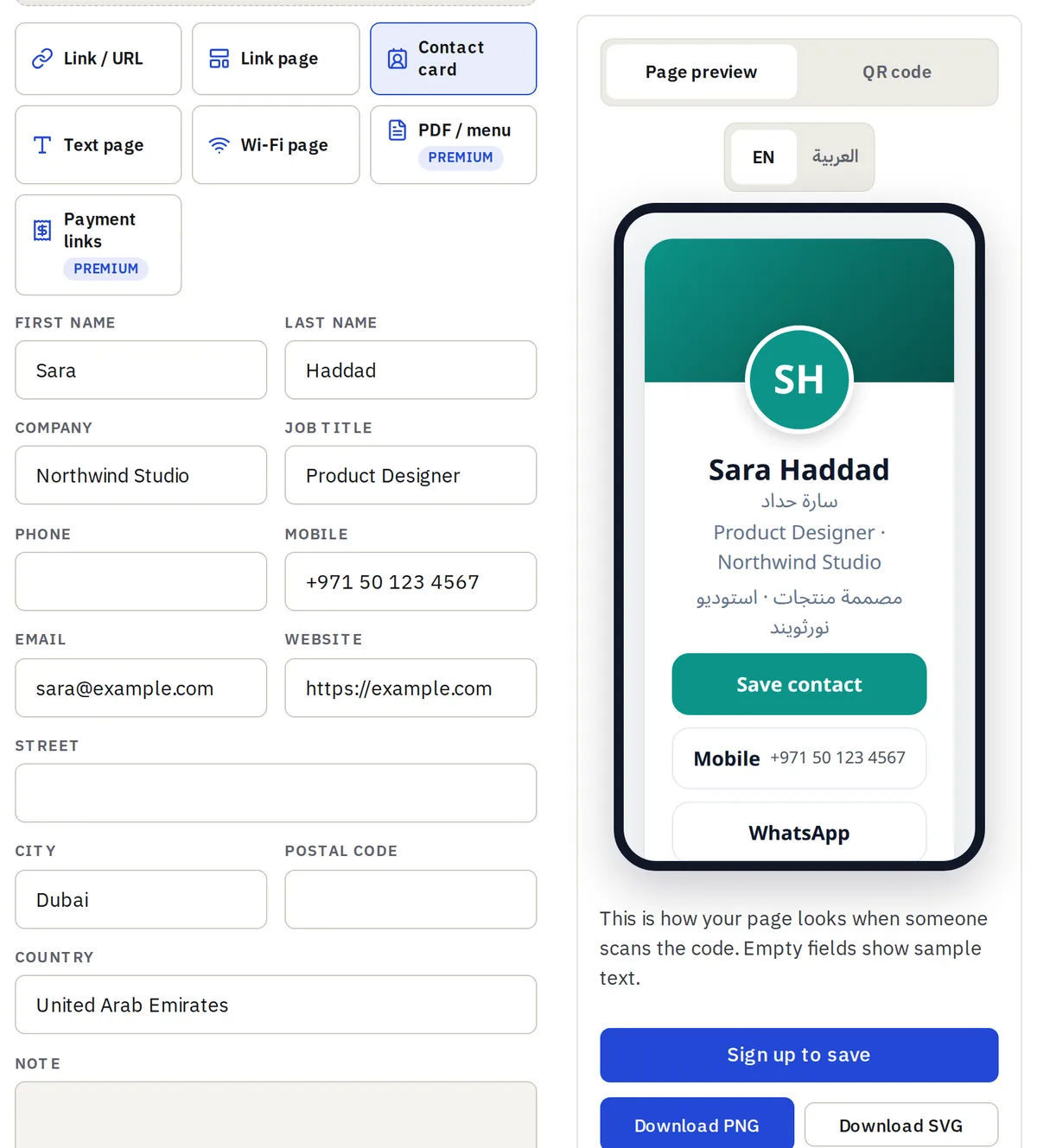
In Dynamic mode, the right-hand side now shows Page preview: the page exactly as people will see it after they scan your code, redrawn as you type. Empty fields show sample text, so you can judge the layout before you have filled everything in. The EN / العربية switch above the phone shows both language versions.
The preview works for every page type (link pages, text pages and Wi-Fi pages too), and you can try it without an account. You only need a free account to save the code.
Six designs to choose from
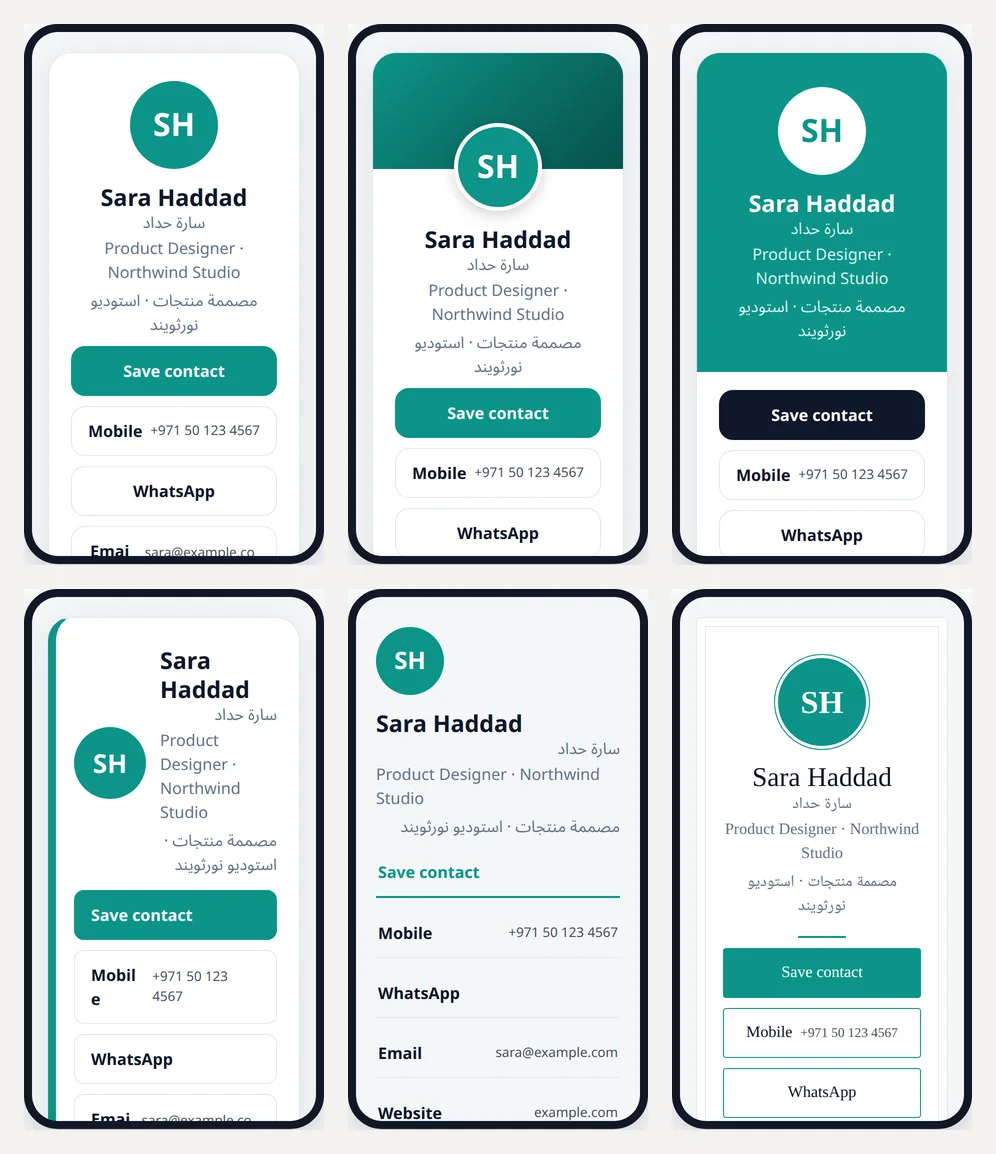
Pick one under Card design, then fine-tune it under Page look with a colour preset or your own colours and font. You can change the design later: a dynamic code keeps the same QR image, so cards you have already printed show the new look straight away.
One card, two languages
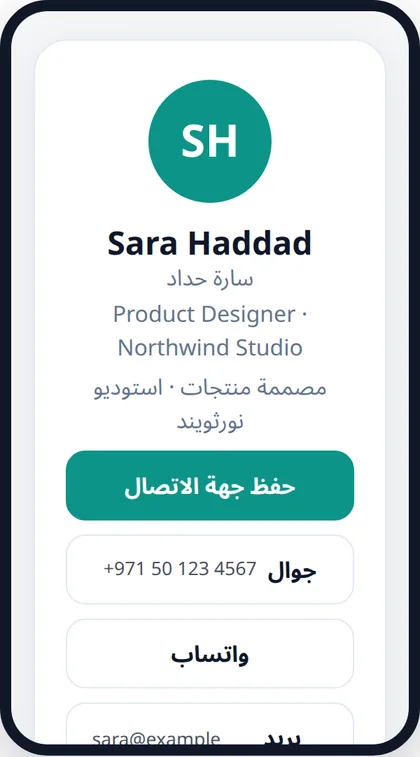
Open Photo, social links & Arabic card and add your name, job title and company in Arabic. Both names then appear on the card. Visitors whose phone or browser is set to Arabic get the page in Arabic, buttons and labels included, and everyone else gets English.
How to make one
- Open the QR Code Generator and choose Dynamic · editable + stats.
- Choose Contact card and fill in your details.
- Pick a design and a look while you watch the preview.
- Sign in or create a free account and save the code.
- Download it as PNG or SVG and put it on your business card, email signature or stand.