If you run a website, a blog or an intranet page, you can now show some of our tools right on it. Visitors use the tool without leaving your page, in English or Arabic, and nothing is installed.
The four widgets
- VAT Calculator to add or remove value-added tax.
- Zakat Calculator for the zakat due on savings and assets.
- End of Service Calculator for the end-of-service gratuity.
- QR Code Generator, for static codes only: no account and no dynamic mode inside a widget.
How to add one
- Open the tool page and find the Embed on your site box.
- Choose English or Arabic and a light or dark theme, then copy the snippet.
- Paste it into your page. The widget resizes itself to fit.
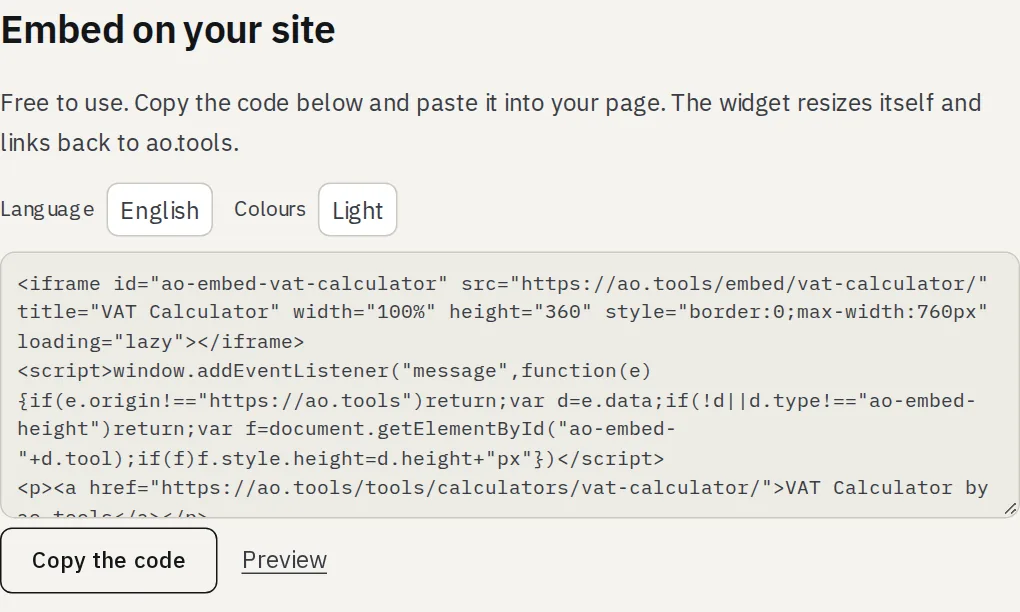
Every snippet includes a normal link back to the tool page: please keep it, it is how the tools stay free.
What a widget does and does not do
- It shows only the tool and the link back: no ads, no cookie banner, no sign-in and no menus.
- Everything people type stays in their browser, as on our own site.
- We may count how often a widget is shown and on which website, without cookies.